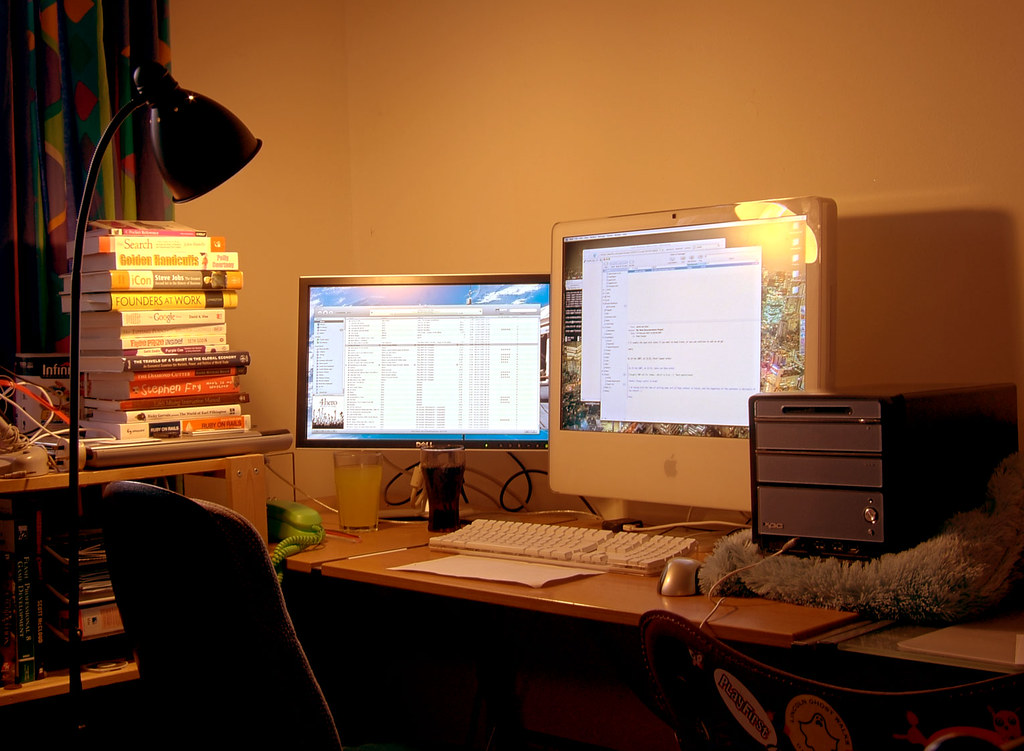
Short answer
A weekend reset should take 20 to 45 minutes and leave the desk easier to use on Monday. Clear the surface, return cables to known routes, empty the work bag, wipe the high-touch areas, check power and remove anything not used in the past week.
Remote desks gather small decisions: a receipt, a spare cable, a cup, a charger, a notebook from Tuesday and a box from some accessory you might return.
The goal of a reset is not a perfect photo. It is a usable desk that starts the week with fewer snags, fewer missing items and less visual noise.
Buying criteria
Clear work surface before decoration
Cable paths returned to normal
Work bag emptied and repacked
High-touch areas wiped
Paper sorted into action or archive
One small improvement chosen
Start with a full surface clear
Remove everything from the active work zone before deciding what belongs there.
For a lived-in home office desk, the useful question is not whether the product looks tidy in a photo. It is whether it leaves enough room for the work that happens at this desk every day. Check keyboard area first, then check mouse area. If either one is awkward, a more expensive version of the same item will usually stay awkward.
Buy for cleaning supplies before new organizers. Do not buy for the spec line alone. Product pages can change, bundles can change and small parts such as clamps, screws, cable ends or pads may decide whether the item works on your desk. Keep the packaging until you have used it through at least one real workday.
Maintenance matters here. Return only the items used in a normal week. A setup that is easy to wipe, unplug, move or label is more likely to stay useful after the first tidy-up.
Red flag: you wipe around clutter and call it clean. When that shows up, step back and solve the constraint rather than adding another accessory on top of it.
Reset cables, not just objects
A desk can look clear while cables are waiting to snag the next call or bag day.
A practical check is to set the desk up with the things you already own and mark what actually moves during a work session. Watch charger route, monitor cable slack and hub position. The product only earns a place if it reduces one of those movements or makes the work area easier to reset.
Buy for clips or labels only after routing is known. Do not buy for the spec line alone. Product pages can change, bundles can change and small parts such as clamps, screws, cable ends or pads may decide whether the item works on your desk. Keep the packaging until you have used it through at least one real workday.
Red flag: one cable must be pulled across the desk every morning. When that shows up, step back and solve the constraint rather than adding another accessory on top of it.
Empty the hybrid bag
Work bags become hidden drawers unless they are emptied regularly.
The risky version of this purchase is the one that solves a showroom problem, not your desk problem. Compare receipts, spare adapters and dead batteries before you compare finishes. A plain item with the right fit will beat a neat-looking item that forces your shoulders, wrists or cables into a bad position.
Buy for a pouch system if loose items keep returning. Do not buy for the spec line alone. Product pages can change, bundles can change and small parts such as clamps, screws, cable ends or pads may decide whether the item works on your desk. Keep the packaging until you have used it through at least one real workday.
Red flag: the bag carries three versions of the same cable and no charger you trust. When that shows up, step back and solve the constraint rather than adding another accessory on top of it.
Sort paper in three moves
Paper should become action, archive or recycling. Anything else usually returns as clutter.
For a lived-in home office desk, the useful question is not whether the product looks tidy in a photo. It is whether it leaves enough room for the work that happens at this desk every day. Check forms to complete first, then check notes to type. If either one is awkward, a more expensive version of the same item will usually stay awkward.
Buy for one tray or folder before a full filing system. Do not buy for the spec line alone. Product pages can change, bundles can change and small parts such as clamps, screws, cable ends or pads may decide whether the item works on your desk. Keep the packaging until you have used it through at least one real workday.
Red flag: papers move from one side of the desk to the other. When that shows up, step back and solve the constraint rather than adding another accessory on top of it.
Inspect wear and dust
Dust, crumbs and loose screws are easier to fix before they become a failed accessory.
A practical check is to set the desk up with the things you already own and mark what actually moves during a work session. Watch keyboard debris, lamp hinge and chair wheels. The product only earns a place if it reduces one of those movements or makes the work area easier to reset.
Buy for basic maintenance before replacing gear. Do not buy for the spec line alone. Product pages can change, bundles can change and small parts such as clamps, screws, cable ends or pads may decide whether the item works on your desk. Keep the packaging until you have used it through at least one real workday.
Red flag: you notice a loose part only during Monday's first call. When that shows up, step back and solve the constraint rather than adding another accessory on top of it.
Choose one improvement
The reset ends with one small change, not a shopping list.
The risky version of this purchase is the one that solves a showroom problem, not your desk problem. Compare move a lamp, label a cable and remove unused stand before you compare finishes. A plain item with the right fit will beat a neat-looking item that forces your shoulders, wrists or cables into a bad position.
Buy for one fix that reduces friction next week. Do not buy for the spec line alone. Product pages can change, bundles can change and small parts such as clamps, screws, cable ends or pads may decide whether the item works on your desk. Keep the packaging until you have used it through at least one real workday.
Maintenance matters here. Write the fix down if it worked. A setup that is easy to wipe, unplug, move or label is more likely to stay useful after the first tidy-up.
Red flag: the reset becomes a makeover and the desk is unfinished Sunday night. When that shows up, step back and solve the constraint rather than adding another accessory on top of it.
Source notes
We link to public guidance when it helps with ergonomics, safety, disclosure or workstation setup. We do not turn those references into medical, legal or electrical advice.
Mistakes to avoid
- Trying to redesign the whole office during a weekly reset.
- Cleaning the surface while ignoring cables and the work bag.
- Keeping every paper because it might matter later.
- Buying organizers before deciding what needs to be stored.
FAQ
How long should a weekend desk reset take?
Most desks need 20 to 45 minutes. If it takes longer, the storage system may be too complicated.
What should I remove first?
Remove everything from the active typing and mouse area, then return only the weekly-use items.
Should I clean cables every week?
You do not need to rebuild them weekly, but you should check slack, charger location and anything crossing a movement path.
What is the best reset habit?
End by setting up Monday's first work session: charged laptop, clear keyboard area, needed notebook and known cable path.