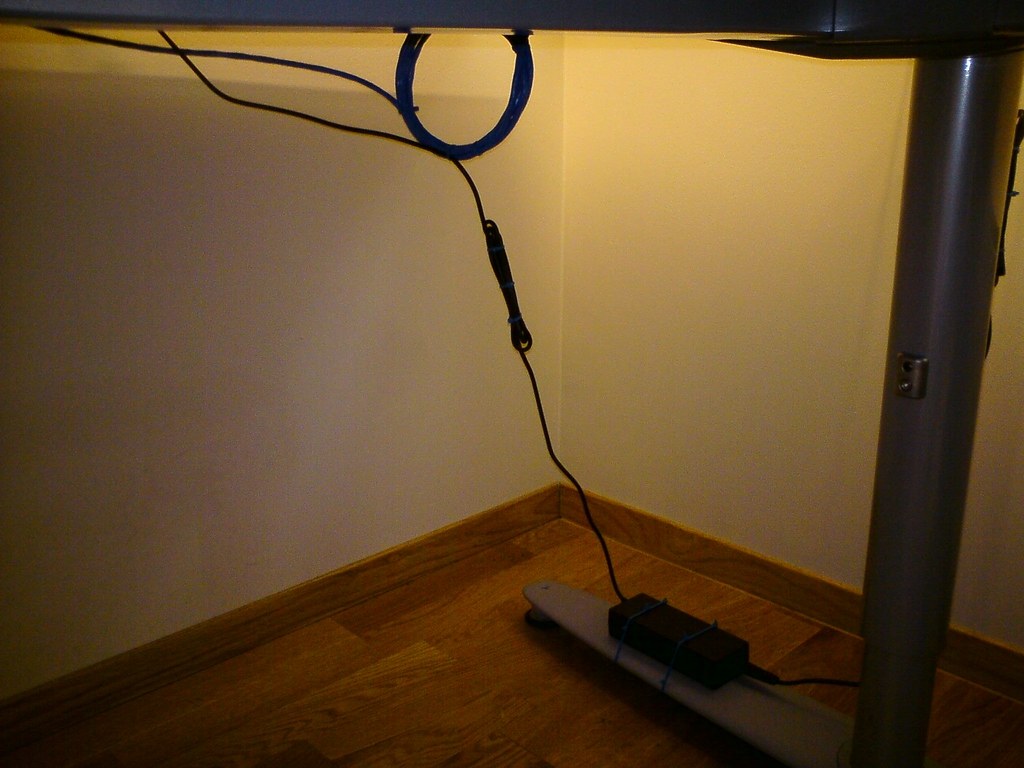
Short answer
Start by listing what needs constant power, what charges occasionally and what should stay easy to unplug. Use a properly rated power strip or surge protector, keep it accessible, avoid daisy-chaining, and route cords where feet and chair wheels will not tug them.
Desk power is not a place for guesswork. Monitors, docks, laptop chargers, lamps, speakers and phone chargers can turn one wall outlet into a messy under-desk problem.
This is a practical planning guide, not electrical advice. If wiring, heat, damage or capacity is uncertain, use a qualified electrician or the product manufacturer guidance.
Buying criteria
Number of always-on devices
Surge protection need for electronics
Outlet rating and product listing
Cable route away from feet
Access to switches and plugs
Heat, dust and inspection access
List constant and occasional loads
Separate devices that stay plugged in from chargers used once in a while.
For a desk with monitors, laptop power and accessories, the useful question is not whether the product looks tidy in a photo. It is whether it leaves enough room for the work that happens at this desk every day. Check monitor power first, then check dock power. If either one is awkward, a more expensive version of the same item will usually stay awkward.
Buy for enough outlets for daily devices without turning the strip into storage. Do not buy for the spec line alone. Product pages can change, bundles can change and small parts such as clamps, screws, cable ends or pads may decide whether the item works on your desk. Keep the packaging until you have used it through at least one real workday.
Red flag: every outlet is filled by chargers that do not need to stay connected. When that shows up, step back and solve the constraint rather than adding another accessory on top of it.
Keep the strip accessible
A hidden power strip looks tidy until you need to unplug a buzzing charger or reset a switch.
A practical check is to set the desk up with the things you already own and mark what actually moves during a work session. Watch switch reach, plug label visibility and floor clearance. The product only earns a place if it reduces one of those movements or makes the work area easier to reset.
Buy for a mounted or placed strip that stays reachable. Do not buy for the spec line alone. Product pages can change, bundles can change and small parts such as clamps, screws, cable ends or pads may decide whether the item works on your desk. Keep the packaging until you have used it through at least one real workday.
Red flag: you must crawl behind the desk to reach the switch. When that shows up, step back and solve the constraint rather than adding another accessory on top of it.
Avoid daisy chains
Plugging one strip into another creates a messy, risky setup and usually signals that the plan needs to change.
The risky version of this purchase is the one that solves a showroom problem, not your desk problem. Compare wall outlet location, cord length and device grouping before you compare finishes. A plain item with the right fit will beat a neat-looking item that forces your shoulders, wrists or cables into a bad position.
Buy for one properly chosen strip and a better location. Do not buy for the spec line alone. Product pages can change, bundles can change and small parts such as clamps, screws, cable ends or pads may decide whether the item works on your desk. Keep the packaging until you have used it through at least one real workday.
Red flag: a second strip appears because the first one is buried or too short. When that shows up, step back and solve the constraint rather than adding another accessory on top of it.
Route cords away from movement
Chair wheels, feet and standing desk movement can tug cords or damage insulation.
For a desk with monitors, laptop power and accessories, the useful question is not whether the product looks tidy in a photo. It is whether it leaves enough room for the work that happens at this desk every day. Check chair path first, then check sit-stand travel. If either one is awkward, a more expensive version of the same item will usually stay awkward.
Buy for cord length and clips that allow movement without tension. Do not buy for the spec line alone. Product pages can change, bundles can change and small parts such as clamps, screws, cable ends or pads may decide whether the item works on your desk. Keep the packaging until you have used it through at least one real workday.
Red flag: a cord tightens when you roll back or raise the desk. When that shows up, step back and solve the constraint rather than adding another accessory on top of it.
Give power bricks air
Chargers and adapters should not be trapped under piles of paper or fabric.
A practical check is to set the desk up with the things you already own and mark what actually moves during a work session. Watch brick heat, ventilation and dust buildup. The product only earns a place if it reduces one of those movements or makes the work area easier to reset.
Buy for mounting and spacing that allow inspection. Do not buy for the spec line alone. Product pages can change, bundles can change and small parts such as clamps, screws, cable ends or pads may decide whether the item works on your desk. Keep the packaging until you have used it through at least one real workday.
Red flag: the area around the strip feels warm or covered. When that shows up, step back and solve the constraint rather than adding another accessory on top of it.
Label the plugs
Labels turn future resets from guessing into a ten-second task.
The risky version of this purchase is the one that solves a showroom problem, not your desk problem. Compare monitor plug, dock plug and lamp plug before you compare finishes. A plain item with the right fit will beat a neat-looking item that forces your shoulders, wrists or cables into a bad position.
Buy for simple labels before more cable hardware. Do not buy for the spec line alone. Product pages can change, bundles can change and small parts such as clamps, screws, cable ends or pads may decide whether the item works on your desk. Keep the packaging until you have used it through at least one real workday.
Maintenance matters here. Inspect plugs during the weekend reset. A setup that is easy to wipe, unplug, move or label is more likely to stay useful after the first tidy-up.
Red flag: you unplug the wrong device during a call or update. When that shows up, step back and solve the constraint rather than adding another accessory on top of it.
Source notes
We link to public guidance when it helps with ergonomics, safety, disclosure or workstation setup. We do not turn those references into medical, legal or electrical advice.
Mistakes to avoid
- Daisy-chaining power strips because the first one is inconvenient.
- Burying the switch behind furniture.
- Letting cords cross chair wheel paths.
- Covering power bricks with bags, paper or fabric.
FAQ
Do I need surge protection at a desk?
For electronics such as monitors, docks and computers, many people choose a surge protector. Check the product rating and replace damaged or old units.
Can I plug a power strip into another power strip?
Avoid daisy-chaining. Use a properly rated strip in a sensible location and consult qualified help if the room lacks suitable outlets.
Where should the power strip go?
Place or mount it where plugs and switches remain reachable, cords avoid movement paths and heat can be inspected.
Should chargers stay plugged in all the time?
Only daily chargers need to stay connected. Occasional chargers can live in a labeled storage pouch to reduce clutter.