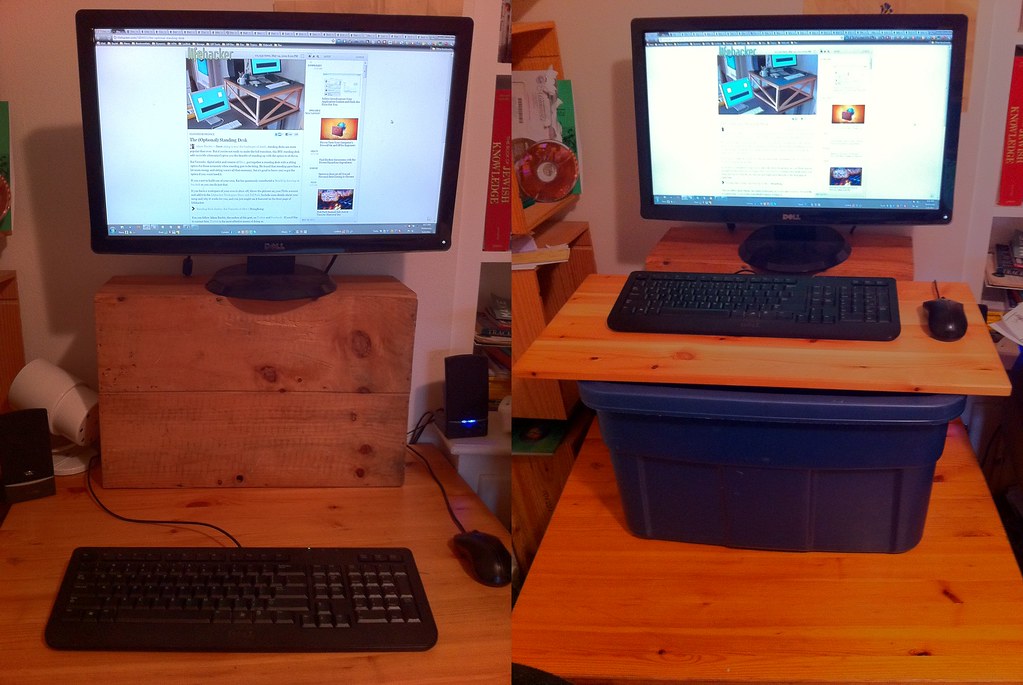
Short answer
Monitor riser storage helps when it raises the screen to a better height and gives small daily items a home. It clutters the desk when it raises the screen too high, traps cables, hides items you need, or becomes a shelf for random objects.
A riser looks like a simple fix: screen up, storage below. The catch is that height and storage are separate problems. Solving one badly can make the other worse.
Before buying, check whether your monitor actually needs height, whether the riser depth fits the stand, and whether the space below will store daily tools or just collect forgotten cables.
Buying criteria
Screen height after the riser
Monitor stand footprint
Keyboard storage and reach
Drawer or shelf access
Cable exit behind the riser
Risk of hiding clutter
Confirm the height first
A riser that puts the screen too high is not an ergonomic upgrade.
For a desk with a raised monitor and keyboard, the useful question is not whether the product looks tidy in a photo. It is whether it leaves enough room for the work that happens at this desk every day. Check eye line first, then check monitor stand height. If either one is awkward, a more expensive version of the same item will usually stay awkward.
Buy for the height correction you need, not the tallest shelf. Do not buy for the spec line alone. Product pages can change, bundles can change and small parts such as clamps, screws, cable ends or pads may decide whether the item works on your desk. Keep the packaging until you have used it through at least one real workday.
Red flag: you tilt your head up after adding storage. When that shows up, step back and solve the constraint rather than adding another accessory on top of it.
Check stand footprint
Some monitor stands are too deep or wide for narrow risers.
A practical check is to set the desk up with the things you already own and mark what actually moves during a work session. Watch stand foot width, riser depth and weight rating. The product only earns a place if it reduces one of those movements or makes the work area easier to reset.
Buy for a riser that supports the actual stand safely. Do not buy for the spec line alone. Product pages can change, bundles can change and small parts such as clamps, screws, cable ends or pads may decide whether the item works on your desk. Keep the packaging until you have used it through at least one real workday.
Red flag: the monitor base hangs off the riser edge. When that shows up, step back and solve the constraint rather than adding another accessory on top of it.
Use storage for active items
The space under a riser should hold things you use daily, not items you are avoiding.
The risky version of this purchase is the one that solves a showroom problem, not your desk problem. Compare notebook, keyboard and USB hub before you compare finishes. A plain item with the right fit will beat a neat-looking item that forces your shoulders, wrists or cables into a bad position.
Buy for storage that has a named job. Do not buy for the spec line alone. Product pages can change, bundles can change and small parts such as clamps, screws, cable ends or pads may decide whether the item works on your desk. Keep the packaging until you have used it through at least one real workday.
Red flag: the shelf becomes a dark cave for spare parts. When that shows up, step back and solve the constraint rather than adding another accessory on top of it.
Keep cables serviceable
Risers often hide cables, which is useful until something needs to be unplugged.
For a desk with a raised monitor and keyboard, the useful question is not whether the product looks tidy in a photo. It is whether it leaves enough room for the work that happens at this desk every day. Check rear gap first, then check hub access. If either one is awkward, a more expensive version of the same item will usually stay awkward.
Buy for open rear access and enough slack for maintenance. Do not buy for the spec line alone. Product pages can change, bundles can change and small parts such as clamps, screws, cable ends or pads may decide whether the item works on your desk. Keep the packaging until you have used it through at least one real workday.
Red flag: you must lift the riser to change one cable. When that shows up, step back and solve the constraint rather than adding another accessory on top of it.
Watch keyboard parking
Sliding the keyboard under the riser can clear the desk, but only if it does not change your typing setup every hour.
A practical check is to set the desk up with the things you already own and mark what actually moves during a work session. Watch keyboard width, wrist rest space and mouse position. The product only earns a place if it reduces one of those movements or makes the work area easier to reset.
Buy for keyboard storage only if it is a one-move action. Do not buy for the spec line alone. Product pages can change, bundles can change and small parts such as clamps, screws, cable ends or pads may decide whether the item works on your desk. Keep the packaging until you have used it through at least one real workday.
Red flag: parking the keyboard requires moving five objects first. When that shows up, step back and solve the constraint rather than adding another accessory on top of it.
Know when to skip it
If the monitor is already at the right height, storage alone may not justify a bulky riser.
The risky version of this purchase is the one that solves a showroom problem, not your desk problem. Compare screen height, desk depth and drawer nearby before you compare finishes. A plain item with the right fit will beat a neat-looking item that forces your shoulders, wrists or cables into a bad position.
Buy for a smaller organizer or monitor arm instead if height is already correct. Do not buy for the spec line alone. Product pages can change, bundles can change and small parts such as clamps, screws, cable ends or pads may decide whether the item works on your desk. Keep the packaging until you have used it through at least one real workday.
Red flag: the riser adds a shelf but removes usable work surface. When that shows up, step back and solve the constraint rather than adding another accessory on top of it.
Source notes
We link to public guidance when it helps with ergonomics, safety, disclosure or workstation setup. We do not turn those references into medical, legal or electrical advice.
Mistakes to avoid
- Using a riser to add storage while raising the monitor too high.
- Ignoring the size and shape of the monitor stand.
- Hiding cables so well they cannot be serviced.
- Letting the riser become a shelf for random clutter.
FAQ
Is a monitor riser good for ergonomics?
Only if it places the screen at a better height for your setup. A riser can also make the screen too high.
What should go under a monitor riser?
Daily items such as a notebook, keyboard, hub or small tray can work. Avoid storing forgotten cables and unrelated objects.
Is a monitor arm better than a riser?
A monitor arm offers more height and depth control, but it needs a compatible desk and clamp space. A riser is simpler but less adjustable.
Can a riser make a small desk worse?
Yes. If it is too deep, too tall or blocks cables, it can reduce the usable surface.